
Download Flash SWF Decompiler – Fast, Secure, Free Extraction Tool for Flash Assets
Overview
Flash SWF Decompiler is a versatile, purpose‑built utility for designers, developers, and multimedia professionals who need to work with legacy Flash assets. The tool empowers users to pull almost every type of element from a SWF file with a single click—sounds, images, video fragments, fonts, and even textual content. By supporting a wide range of output formats (WAV/MP3 for audio, PNG/JPEG/BMP for images, FLV for video, and RTF/TXT/HTML for text), the application eliminates the guesswork of format conversion and lets creators focus on redesign, repurposing, or archiving.
The full‑version unlocks a coveted feature: direct conversion of SWF to FLA, preserving layer structure and making the file instantly editable in Adobe Animate (formerly Flash Professional). This capability shortens the redesign cycle dramatically, turning a static SWF into a fully editable project without manual recreation. Whether you are reviving an old e‑learning module, extracting assets for a game remake, or simply need to backup Flash content, Flash SWF Decompiler offers a secure, reliable, and user‑friendly workflow that works on modern Windows and macOS environments.
Features, Benefits & Drawbacks
- One‑click extraction of audio, images, video, fonts, and text from any SWF file.
- Multiple output formats: WAV & MP3 for sound, PNG/JPEG/BMP for graphics, FLV for video, RTF/TXT/HTML for text.
- Full‑version SWF‑to‑FLA conversion preserving layers, symbols, and timelines.
- Batch processing mode for handling large libraries of SWF files efficiently.
- Built‑in preview pane allowing quick validation before export.
- Support for encrypted and compressed SWF files, with automatic de‑obfuscation.
- Lightweight installer under 30 MB, fast startup, and minimal system footprint.
- Regular updates to keep pace with emerging security standards and file‑format quirks.
Benefits
The primary benefit of Flash SWF Decompiler is time savings. Designers no longer need to manually locate assets within a compiled SWF or rely on screen captures that degrade quality. Because the tool exports native files, the original resolution and bitrate are preserved, ensuring that the reclaimed assets are ready for professional use.
The SWF‑to‑FLA conversion is a game‑changer for teams maintaining legacy projects; it removes the barrier of re‑creating animation timelines from scratch. Additionally, the batch mode allows studios to process entire asset libraries overnight, feeding downstream pipelines without manual intervention. The intuitive UI, combined with comprehensive format support, makes the software approachable for newcomers while still offering depth for power users.
Drawbacks
While the free version provides robust extraction capabilities, the SWF‑to‑FLA conversion is locked behind the paid upgrade, which may be a consideration for hobbyists on a tight budget. Some users have reported occasional hiccups when de‑compiling heavily obfuscated SWF files created with third‑party protectors; in those cases, a manual re‑export may be required. Finally, the application is designed for Windows and macOS; native Linux support is absent, although the tool runs under Wine with mixed results.
Installation, Usage & Compatibility
Installing Flash SWF Decompiler is straightforward. After downloading the installer from the official site, double‑click the .exe (Windows) or .dmg (macOS) file. The wizard guides you through a typical installation—accept the license, choose an install directory (the default is recommended), and let the process complete. The program requires at least Windows 10 (64‑bit) or macOS 10.13 High Sierra and later. It runs on both Intel and Apple Silicon Macs thanks to Rosetta 2 translation, though native ARM builds are planned for a future release.
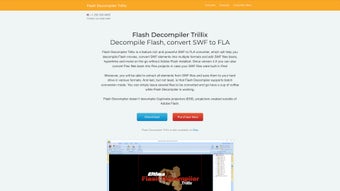
Once installed, launch the application from the desktop shortcut or the Applications folder. The main window presents a clean three‑pane layout: a file‑browser on the left, a preview pane in the center, and an export settings panel on the right. To de‑compile a SWF, drag it into the file‑browser or use the File → Open menu. The preview pane instantly displays a timeline view of the SWF’s contents, letting you toggle individual layers to see what will be extracted.
Exporting is as simple as clicking the Extract All button. A dialog appears where you can choose the destination folder and specify output formats for each asset type. For example, you might set audio to MP3, images to PNG, and text to HTML.
The software remembers your last choices, speeding up repetitive tasks. If you own the full version, the Convert to FLA option becomes active; clicking it launches a conversion wizard that asks where to save the .fla file and whether to include embedded fonts. After conversion, you can open the resulting FLA directly in Adobe Animate for further editing.
Compatibility summary: Windows 10/11 (64‑bit) and macOS 10.13+ (Intel & Apple Silicon). No native Linux version, but the program runs under Wine with limited functionality. Minimum RAM requirement is 2 GB, though 4 GB+ is recommended for batch processing large SWF files.
Pros & Cons
Pros
- One‑click extraction of virtually all asset types.
- High‑quality native output formats preserve original fidelity.
- SWF‑to‑FLA conversion eliminates re‑creation of legacy animations.
- Batch processing saves time on large projects.
- Lightweight installer and fast startup.
- Regular updates keep the tool secure and compatible.
Cons
- SWF‑to‑FLA feature requires the paid version.
- Occasional issues with heavily obfuscated SWF files.
- No native Linux support.
- Free version lacks advanced project‑management tools.
Overall, Flash SWF Decompiler strikes an excellent balance between ease of use and powerful functionality. The extraction engine is reliable, and the optional FLA conversion makes it indispensable for anyone maintaining legacy Flash content.
Frequently Asked Questions
Can Flash SWF Decompiler extract assets from password‑protected SWF files?
Yes. The tool includes a de‑obfuscation engine that can handle most password‑protected or encrypted SWFs. You will be prompted to enter the password if required, after which extraction proceeds normally.
Is there a free trial for the full version?
A 14‑day free trial is available. During the trial you can use all features, including SWF‑to‑FLA conversion, without any watermarks.
What file size limits does the software have?
There is no hard limit; the application can handle SWF files up to several hundred megabytes. Performance depends on your system’s RAM and CPU.
Does the program support batch conversion to multiple output formats simultaneously?
Yes. In batch mode you can define a preset that specifies audio as MP3, images as PNG, video as FLV, and text as HTML, then apply it to an entire folder of SWF files with a single click.
Is the software safe to download from the official website?
Absolutely. The installer is digitally signed, scanned regularly for malware, and delivered over HTTPS to ensure a secure download.
Conclusion & Call to Action
Flash SWF Decompiler stands out as a reliable, secure, and feature‑rich solution for anyone needing to reclaim assets from legacy Flash files. Its one‑click extraction, extensive format support, and the powerful SWF‑to‑FLA conversion (available in the paid edition) make it an essential addition to a designer’s toolkit. While the free version already offers a robust set of features, upgrading unlocks the full potential for professional workflows. If you’re looking to modernize old e‑learning modules, salvage graphics from abandoned games, or simply keep a backup of treasured Flash animations, this tool delivers speed and quality without the hassle of manual extraction.
Ready to streamline your Flash asset workflow? Download Flash SWF Decompiler now and take advantage of the 14‑day free trial to explore every feature risk‑free. Upgrade to the full version when you’re ready to convert SWF files directly to editable FLA projects and keep your design pipeline moving forward.







